
Plain-English definitions, grouped by topic. Where a term relates to a Filmora feature, we mention it.
Timeline and cutting
- NLE (non-linear editor) – software that lets you edit any part of a video in any order, like Filmora, Resolve or Premiere.
- Timeline – where you arrange clips in order and in layers.
- Track – one layer of the timeline. Clips on higher video tracks appear on top.
- Playhead – the line that marks the current frame.
- A-roll – your main footage, usually someone talking.
- B-roll – supporting footage shown over or between A-roll.
- Rough cut – the first assembly, focused on story, not polish.
- Fine cut – the polished edit after trimming and timing.
- Split / razor – cutting a clip into two at the playhead.
- Ripple delete – deleting a section and closing the gap automatically.
- Jump cut – a cut within the same shot that makes the subject “jump”.
- J-cut – the next clip’s audio starts before its picture.
- L-cut – the previous clip’s audio continues after the picture changes.
- Cutaway – a shot of something else, used to hide a cut or add context.
- Compound clip / nested sequence – several clips grouped into one. Filmora’s dual-timeline feature opens these in their own tab.
Formats and technical terms
- Resolution – frame size in pixels, e.g. 1920×1080 (HD) or 3840×2160 (4K UHD).
- Frame rate (fps) – frames per second. 24/25 looks cinematic, 30 is standard online, 60 is smooth for gaming and sport.
- Aspect ratio – frame shape: 16:9 for YouTube, 9:16 for Shorts and Reels, 1:1 square.
- Codec – how video is compressed, e.g. H.264, HEVC (H.265), AV1.
- Container – the file type holding video and audio, e.g. MP4, MOV, MKV.
- Bitrate – how much data per second. Higher usually means better quality and bigger files.
- Proxy – a lightweight copy of a clip used for smooth editing, swapped back for export.
- Render – processing effects so they play smoothly or export.
- Export – creating the final video file.
- XML – a project exchange format. Filmora 16 can import and export XML to move edits between editors.
Audio
- Waveform – the visual shape of audio on the timeline.
- Gain – the volume level of a clip.
- Normalisation – adjusting loudness to a target level.
- LUFS – the loudness unit platforms use. YouTube turns loud videos down to about −14 LUFS.
- Ducking – automatically lowering music when someone speaks.
- Noise reduction – removing hum, hiss or background noise.
- Room tone – the natural background sound of a location, used to fill gaps.
- Sound effect (SFX) – any non-music sound added in the edit.
- Beat sync – matching cuts to the beat of the music.
- Bit depth (audio) – how much detail each audio sample stores. Filmora 15 and later use a 32-bit audio pipeline for more headroom when mixing.
Colour and visual effects
- Colour correction – making footage look natural: exposure, white balance, matching.
- Colour grading – giving footage a style or mood.
- White balance – making white look white under different light.
- LUT (look-up table) – a preset that transforms colours to a look.
- Log footage – flat-looking footage that keeps more detail for grading.
- HSL – hue, saturation, luminance; used to adjust one colour range.
- Scopes – graphs (waveform, vectorscope) that show brightness and colour objectively.
- Mask – an area that limits where an effect applies. Filmora 16’s Color Mask applies grading to a shape.
- Keyframe – a point where a setting has a specific value; the editor animates between keyframes.
- Chroma key – removing a solid-coloured background (green screen).
- Track matte – using one layer’s shape to show or hide another. Improved in Filmora 16.
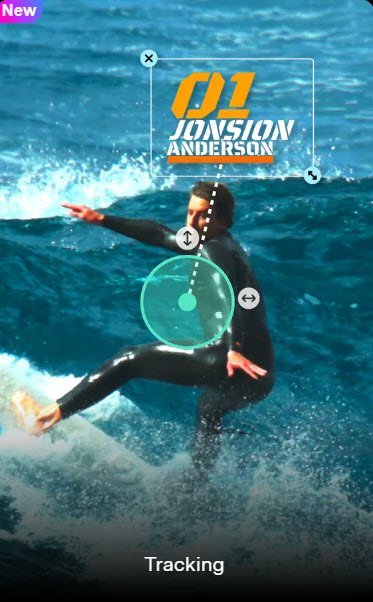
- Motion tracking – making text or graphics follow a moving object. Planar tracking follows flat surfaces.
AI and modern workflow
- AI matting / Smart Cutout – AI that separates a subject from its background without a green screen.
- Speech-to-text / auto captions – AI that transcribes speech into subtitles.
- AI credits – the usage allowance some editors, including Filmora, charge for generative or cloud AI tools.
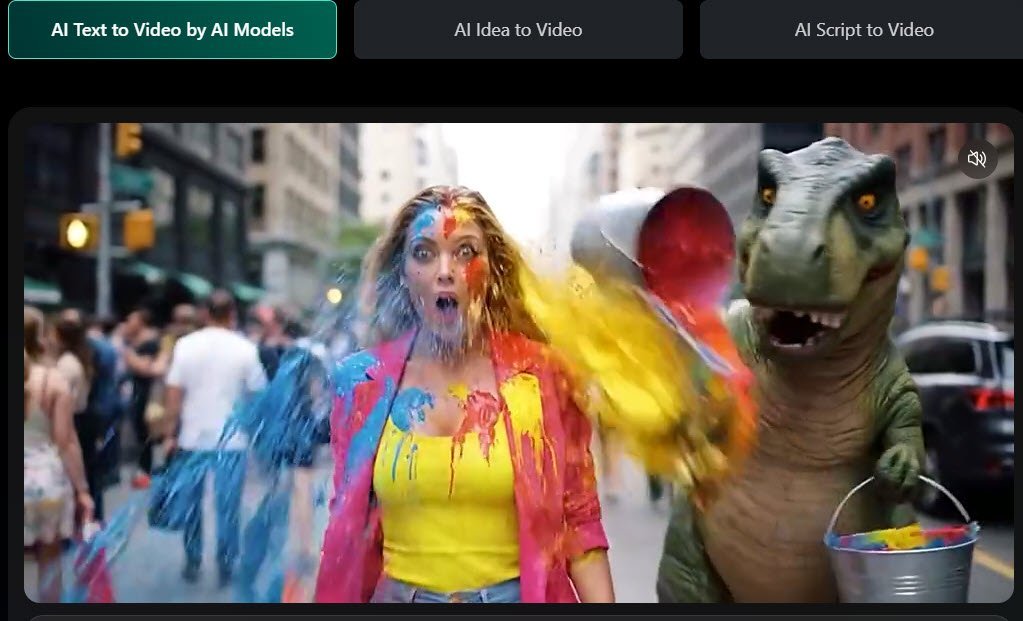
- Text-to-video – generative AI that creates a video clip from a written prompt. In Filmora it uses AI credits.
Keep learning: start with the beginner’s guide · follow a YouTube edit · learn colour grading · add auto captions.
Sources
- What’s New in Filmora: https://filmora.wondershare.com/whats-new-in-filmora-video-editor.html
- YouTube recommended upload encoding settings: https://support.google.com/youtube/answer/1722171
About the author
The Pro Video Tips Team is based in Victoria, Australia, and creates practical Filmora tutorials, software reviews and comparisons. We aim to explain useful features, costs and limitations clearly so readers can choose and use the right editor.